
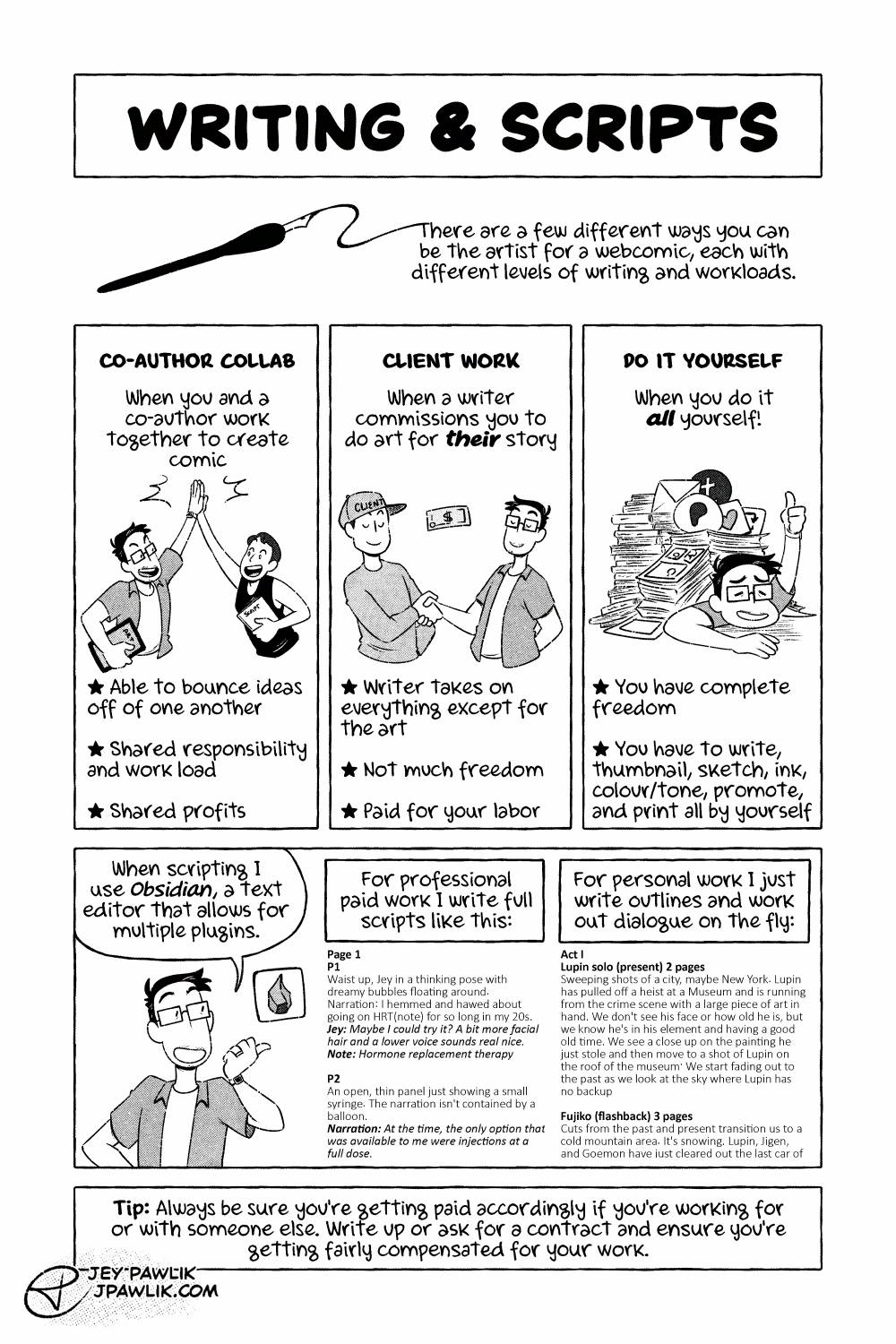
Page 2 and what scripting and writing a webcomic can look like. I’ve done all three methods here and all have their pros and cons.
I switched this page around quite a bit and added what scripting looks like for me when I do it. I’m quite pleased with this new version of the page!
The scripts used as examples are from my OJST comic on T-Gel and The Curtain Falls.
Want to buy a digital or physical copy? Check out the Topaz Comics Shop!
Or you can also grab the PDF on Patreon, or itch.io
Want to see sketches, thumbnails, and comic pages early? Join us on Patreon!
3 Comments
Excited to see what new info is in this revamped version! What Obsidian plug ins would you recommend?
Ohhh hi Jonnie! I won’t talk your ear off too much about Obsidian (maybe I should do a comic on it, me @ me), but my current plugins are: Dataview, Full Calendar, Kanban, and Style Settings.
I’ve moved my comic writing exclusively over to the Kanban plugin so I can drag and drop scenes really easily! So in the example here “Lupin Solo” would be it’s own card, and then “Fujiko (flashback)” would be another card.
For my OJST comics each 5-page comic is it’s own note, and then each note is a card in an OJST kanban board. Since I write the OJST scripts more like a real script.
Oh man, I never considered using the Kanbans that way! Thanks for the insight, Jey. (And an Obsidian comic would totally rule).